PlanVantage for Claude
Connect once, then ask in plain words. Claude handles the conversation. PlanVantage does the calculations and keeps the record.
Facts verified as of October 1, 2026
See also: Privacy Policy and Security
Claude is drawn and the clip is sped up. Ridgeline Manufacturing is sample data.
Set it up
Four steps, one click or one box each. You need a Claude account and a PlanVantage account; step 3 can create the PlanVantage one. The pictures are drawings of Claude, so your screen may look a little different. Look for the words in bold.
Step 1: Open PlanVantage in Claude's directory
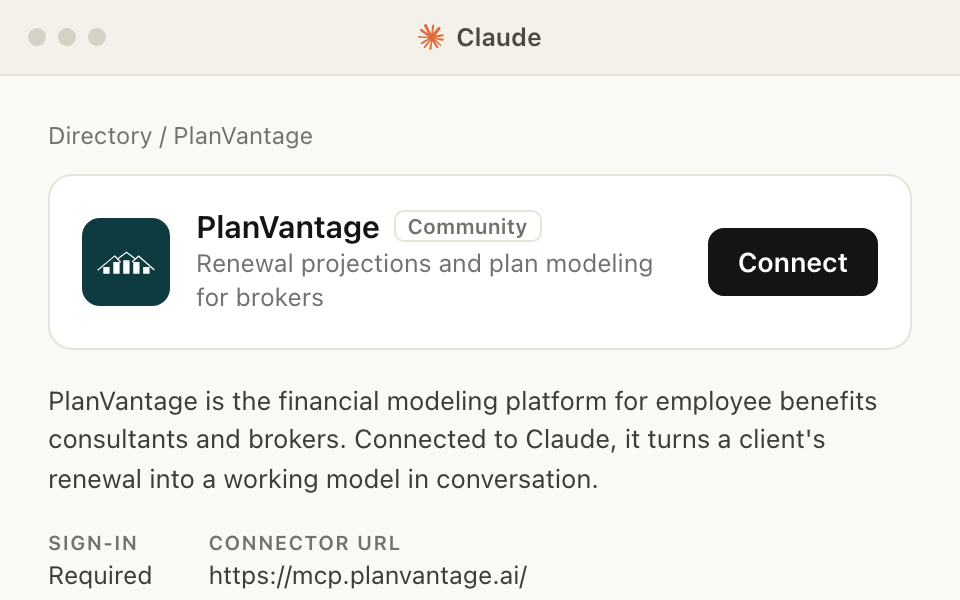
Press this button. Claude opens PlanVantage’s page in its connector directory, in a new tab.
If the button on that page says Sign in to add, sign in to Claude first.
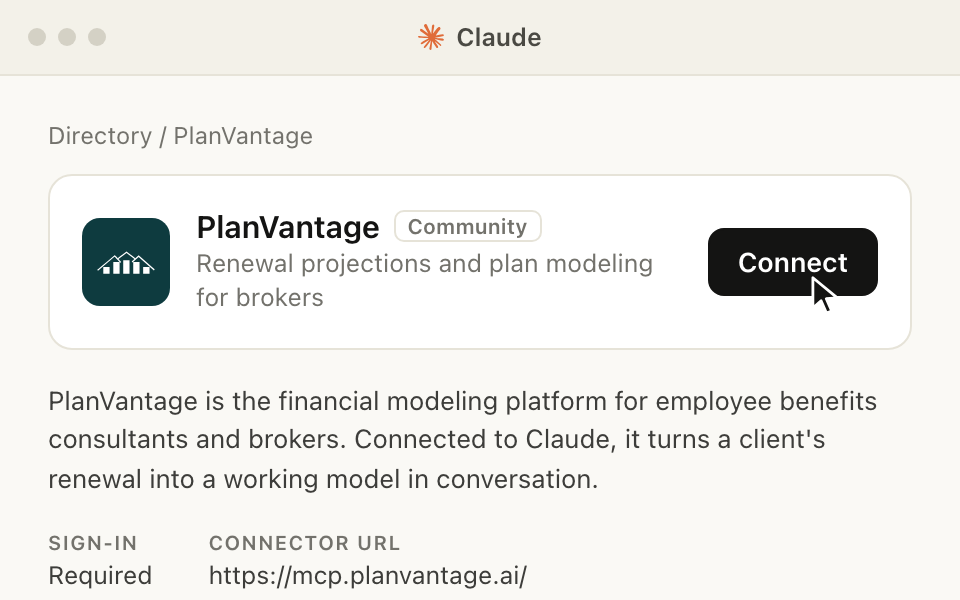
Step 2: Click Connect
The Connect button is beside PlanVantage’s name. A PlanVantage sign-in page opens.
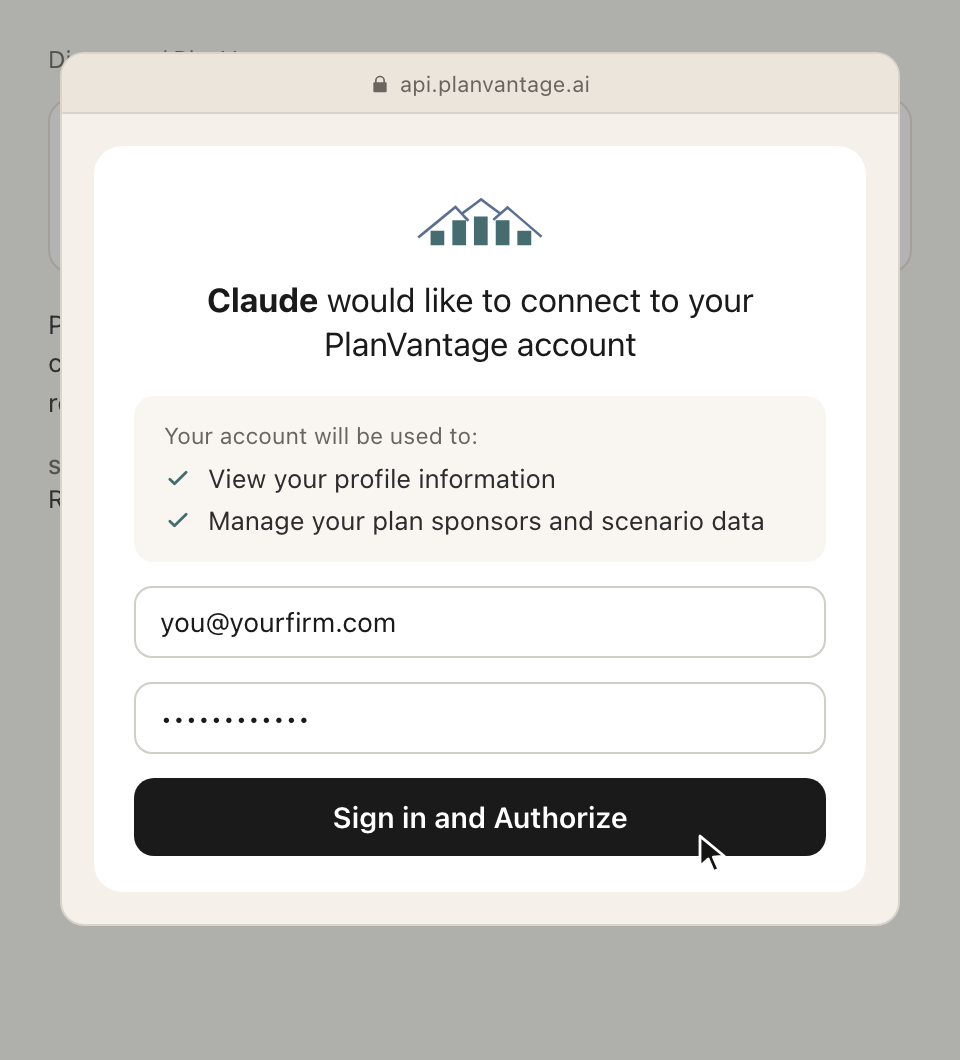
Step 3: Sign in to PlanVantage
Type your PlanVantage email and password, then click Sign in and Authorize. If your organization signs in with Microsoft, the page offers that after you type your email.
No PlanVantage account yet? Use the link under the sign-in form to start a free trial. Confirm your email from the message we send, and you are brought back to finish.
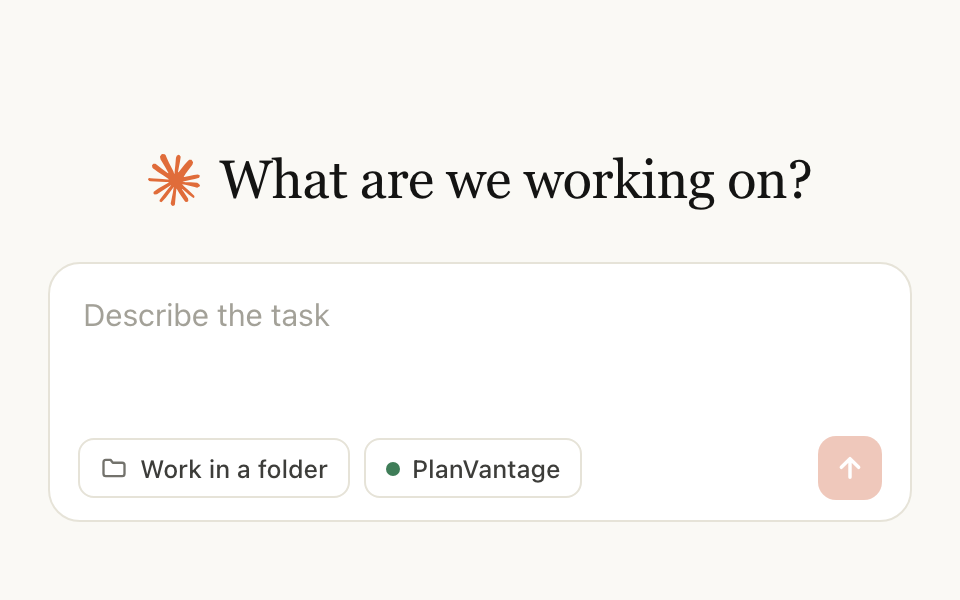
Step 4: Ask Claude something
Start a new chat. Click the + beside the message box, open Connectors, and check that PlanVantage is switched on.
Then type a question. This one works on any account:
What can you help me do in PlanVantage?More to try: five things to ask.
If PlanVantage is not in your directory
Add it by its address instead
- Open Claude’s connectors page. Or, in Claude’s sidebar, click Customize, then Connectors.
- Click Add at the top right, then Add custom connector.
- In the Name box, type PlanVantage. In the MCP server URL box, paste this address, then click Continue.
https://mcp.planvantage.ai - PlanVantage now shows in your list. Click Connect beside it, then sign in as in step 3 above.
If your screen shows something else
Forgot your PlanVantage password? The sign-in page has a reset link. Reset it, return to the sign-in page, and the connection completes.
Still stuck? Email contact@planvantage.ai and say which step you are on.
In Claude’s desktop app
Work from a client’s folder
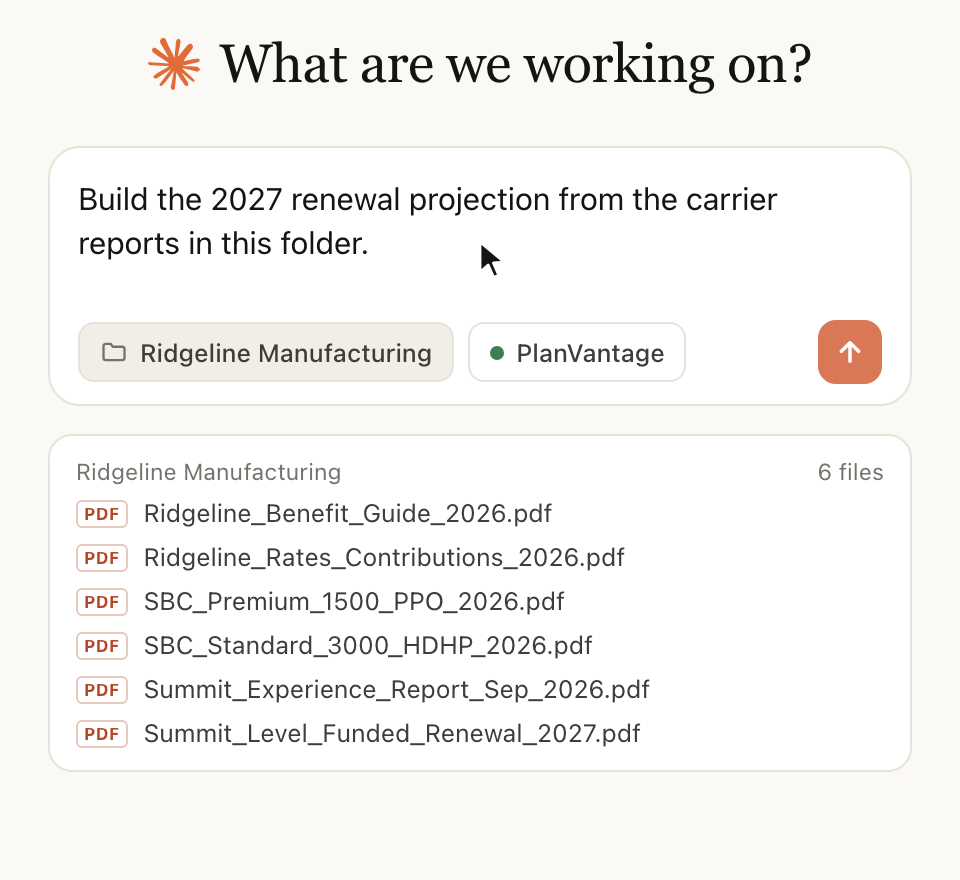
The desktop app can read a folder on your computer. Choose the client’s folder, then say what you need. Claude reads the carrier reports and enters what they say. PlanVantage calculates.
Build the 2027 renewal projection from the carrier reports in this folder.Keep member-level detail out of that folder. A report that may contain protected health information goes into the PlanVantage web app, never through Claude. See what data moves where.
What the connector does
PlanVantage is financial modeling software for employee benefit plans. The Claude connector lets you work with your PlanVantage data in conversation: build a plan-year dashboard from monthly experience, project next year's claims with stop-loss and credibility assumptions, compare current and proposed plan designs by actuarial value, model employee contribution strategies, and assemble client exhibits. Claude handles the conversation; PlanVantage does the calculations and keeps the record.
You need a PlanVantage account. If you do not have one, the sign-in page offers a free 14-day trial. When the trial ends, everything you built stays in view mode while your account is open. Paid plans are on the pricing page.
Sign-in and permissions
The connector uses OAuth 2.0 with dynamic client registration. Claude never sees your PlanVantage password: you sign in on api.planvantage.ai, PlanVantage issues Claude a token that identifies you, and every tool call runs as you, with your own account's permissions and your plan's limits.
- Scopes.
openidandprofileidentify you (your email address and name, so Claude can say which account is connected).planvantagegrants read and write access to the plan sponsors, scenarios, dashboards, projections, and documents your account can already reach. Nothing beyond your own permissions is granted. - Token lifetime. Access tokens expire after one hour. Claude renews them with a refresh token that lasts 30 days, after which you sign in again.
- Disconnect. In Claude’s sidebar, click Customize, then Connectors, and remove PlanVantage. To have PlanVantage revoke a connection from its side, email contact@planvantage.ai.
- Forgot your password? The sign-in page links to the reset flow. Reset it, then return to the sign-in page and the connection completes.
Things to ask
Name the client the way it appears in PlanVantage and say what you want; Claude finds the records and picks the tools. Five prompts that show the range, using a fictional client:
- 01
“Find Acme Manufacturing in PlanVantage and summarize this plan year against budget: claims, enrollment, and the large claimants.”
Reads the plan-year dashboard and its computed metrics.
- 02
“Project next year's claims for Acme from the current dashboard with a $75,000 specific stop-loss deductible, and list the assumptions you used.”
Builds a renewal projection from the dashboard experience and sets its assumptions.
- 03
“Compare Acme's current PPO with a proposed HDHP by actuarial value and show the member cost-sharing difference.”
Creates a scenario with current and proposed plan designs and reads the actuarial value results.
- 04
“Model a contribution strategy where the employer covers 80% of employee-only and 60% of dependent tiers, and show the budget impact.”
Adds a contribution option to the scenario and reads the resulting summary.
- 05
“Build a renewal exhibit comparing the status quo and the HDHP scenario, and give me the comparison table.”
Creates a client exhibit and returns its computed comparison table.
PlanVantage marks each tool as read-only or as one that changes data, so Claude can ask before it writes. A delete does nothing until it is confirmed: the first request returns a preview naming what would be removed, so Claude can show you before anything goes. Revoking an API key works the same way. For longer jobs, PlanVantage publishes workflow guides Claude can read, covering naming conventions and data checks.
What data moves where
- Your conversation stays in Claude, under Anthropic's terms.
- Tool calls go from Claude to api.planvantage.ai: the client or record Claude is asking about and any values you asked it to write. PlanVantage returns the result to Claude. Tool results are sent to the AI client you connected, under that client's terms.
- What PlanVantage stores is what Claude writes into your account, exactly as if you had entered it in the web app, plus a log of each request of the kind the web app produces.
- Files. The connector cannot receive files. Documents that may contain protected health information must be uploaded in the PlanVantage web app, never through an AI client: Anthropic's business associate agreement does not cover connector and MCP data flows. Tool results carry de-identified claimant labels only, such as Claimant 1 and Claimant 2.
Before you paste
Support
Questions about the connector, a tool that answered with an error, or a request to revoke a connection: email contact@planvantage.ai. For a problem with a specific request, include the prompt and the time it ran.
PlanVantage LLC
3500 Lenox Rd NE, STE 1500-2490
Atlanta, Georgia 30326